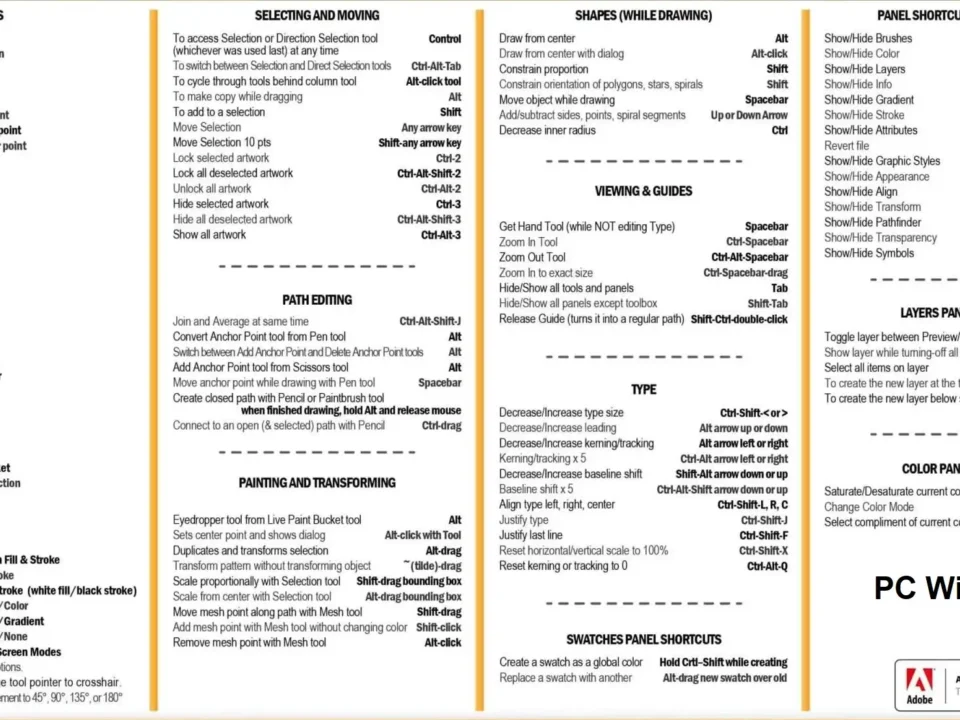
Full, free version of Illustrator Vietnamese textbook. This is an Adobe Illutrator(Ai) self-study kit for beginners. Download, download the Illustrator textbook to learn right away!
Introducing Illustrator Vietnamese software for beginners.
Illustrator is probably the most popular vector graphics software in the world, most designers in the world who work on graphics use this software.
It can be said that if you want to join the graphic design industry, you must learn and master this software.
Almost every media advertising, printing, web design company… in Vietnam uses this software. And when recruiting, proficiency in using professional graphic design software Illustrator is a mandatory requirement for employers.
The Illustrator textbook is a useful Illustrator learning guide for beginners
In the current era of technology 4.0, there are many learning methods such as:
Learn directly through subject teachers
Learn online via video
Learn on Youtube
Learn through the manual…
No matter what form you are studying, combining those forms with the subject curriculum will bring you high efficiency in learning.
Because the nature of the curriculum is to closely follow the training program, ensuring systematicity, application, fundamentality and accuracy.
Therefore, the Adobe Illustrator textbook is a useful learning material for you.
Contents of the Vietnamese Illustrator textbook for beginners.
This is a detailed Illustrator textbook set from basic to advanced, from theory to practice for beginners. The instructional textbook is based on the CS6 version, you can apply it when studying for other versions such as lower CS versions, or even CC versions. Because in each version Adobe only upgrades certain features, and the differences in each version are insignificant.
This Vietnamese Illustrator textbook is also very useful for those who already know Illustrator and want to consolidate their knowledge and learn more about the things they don’t know or are not proficient in about this Illustrator photo editing software.
Here is the table of contents of the Illustrator textbook that I am about to share with you:
Part 1 – Basic knowledge
Lesson 1 – Working interface
1. Workspace
2. Panels
3. Panel Tools
4. Preferences and Presets
5. Undo and Automation.
Lesson 2 – Working with Files
1. Create new File
2. Many Artboards
3. Save and export files
4. Open Files
5. Add photos to Illustrator
6. Move around the Workspace
7. Use Adobe Bdidge
Lesson 3 – Drawing and editing lines and shapes
1. Shape tools
2. Line Segment tools
3. Edit lines and shapes
4. Cutting tools
Lesson 4 – Working with selections
1. Selection Tool
2. Direct Selection Tool
3. Group Selection Tool
4. Magic wand tool
5. Lasso Tool
6. Eyedropper Tool
Lesson 5 – Layers
1. Learn the Layers
2. Use Panel Layers
3. Create a pattern layer
4. Reorganize the Layers.
Lesson 6 – Color in Illustrator
1. Panel Color
2. Color picker
3. Panel Color Guide
4. Panel Swatches
Part 2 – Tools and image editing
Lesson 1 – Pencil, Eraser, Paintbrush and Blob brush
1. Pencil Tool
2. Smooth Tool
3. Path Eraser tool
4. Eraser tool
5. Paintbrush tool
Lesson 2 – Pen Tool
1. Pen Tool
2. Edit paths
Lesson 3 – Type tool
1. Type tool
2. Type format
3. Area Type tool
4. Type on A path tool
5. Vertical Type Tool
6. Wrap text around an object
7. Curve the text with Envelope Distort
8. Fit a heading line
9. Execute other Type commands
10. Convert Type to outlines
Lesson 4 – Transformation tools
1. Transformation tools
2. Panel Transform
3. Transform menu commands
Lesson 5 – Pattern and Gradient
1. Patterns
2. Gradients
Lesson 6 – Symbols, 3D light and Flash
1. Panel Symbols
2. Symbol libraries
3. Work with Symbols
4. Symbolism tools..
5. Map Symbol images to 3D objects
6. Integrate Symbols with Flash
Lesson 7 – Creating blends
1. Create Blends
2. Blend options
3. Edit blend types
4. Blend menu options
Lesson 8 – Clipping Mask and compound paths
1. Crop masks
2. Complex paths
Download, download the Vietnamese version of Illustrator textbook, full, free.
File 1: download the Vietnamese version of the illustrator textbook

File 2: download the illustrator textbook Adobe illustrator CC Classroom in a Book – EN (2019 Release) English version with detailed instructions
File 2: Learn more about the Vietnamese version of the Photoshop instruction manual
CONTACT FOR CONSULTATION – PRINTING SERVICE QUOTE THIEN THANH PRINTING AND PACKAGING COMPANY
Hotline: 0909 411 786 – 0909 850 286 (zalo,viber)
Email : inthienthanh.hcm@gmail.com Website: inthienthanh.vn
Địa chỉ 1: 91C/14 Ngô Chí Quốc, Thủ Đức, TP. Hồ Chí Minh
Xưởng: 95/3 Cách Mạng, P. Tân Thành, Q. Tân Phú, TP. Hồ Chí Minh
Công ty In Ấn Bao Bì Thiên Thanh
MST: 0315653362
Hotline: 0909.411.786 - 0909.850286
Zalo Official Account: https://zalo.me/3971454859018259047
Email: inthienthanh.hcm@gmail.com | info@inthienthanh.com
VP: 91C/14 Ngô Chí Quốc, P. Bình Chiểu, Tp Thủ Đức, TP. Hồ Chí Minh
Xưởng in: 95/3 Cách Mạng, P. Tân Thành, Q. Tân Phú, TP. Hồ Chí Minh
📢 GIẢI PHÁP IN ẤN TOÀN DIỆN CHO DOANH NGHIỆP 🎨
Bạn đang tìm kiếm dịch vụ in ấn chuyên nghiệp, chất lượng cao với giá cả hợp lý?
Thiên Thanh tự hào là đơn vị hàng đầu trong lĩnh vực in tem nhãn, bao bì, hộp giấy, túi giấy, thùng carton, đáp ứng mọi nhu cầu thiết kế & in ấn cho doanh nghiệp.
✅ Các Sản Phẩm, Dịch Vụ chúng tôi cung cấp:
📌 In tem nhãn decal: Tem dán sản phẩm, tem chống giả, tem mã vạch, decal giấy, decal trong suốt, decal nhựa ...
📌 In Ấn văn phòng phẩm: danh thiếp, phong bì thư, bìa hồ sơ, giấy tiêu đề, các biểu mẫu, hóa đơn, phiếu thu chi, folder đựng tài liệu ...
📌 In Ấn Quảng Cáo – Tiếp Thị: các catalogue, brochure, profile công ty, tờ rơi flyer, tờ gấp quảng cáo thiệp cảm ơn khách hàng ...
📌 In hộp giấy: Hộp đựng thực phẩm, hộp mỹ phẩm, hộp quà tặng.
📌 In túi giấy: Túi giấy kraft, túi giấy cao cấp, túi giấy thời trang.
📌 In & sản xuất thùng carton: Thùng carton, hộp carton, in offset, thùng carton sóng A, B, C, E.
🎯 Dịch vụ tận tâm – Đội ngũ tư vấn 24/7, hỗ trợ khách hàng tận tình.
Chào mừng bạn đến với bộ sưu tập thiết kế in ấn khổng lồ của chúng tôi! Với hơn 100.000 mẫu hình ảnh và các hình ảnh bao gồm cả file vector (AI, EPS), PSD ... Là một phần lựa chọn mẫu mã thiết kế phù hợp với ý tưởng của bạn. Tải miễn phí hoặc liên hệ với chúng tôi để lựa chọn hoặc chỉnh sửa theo nhu cầu !